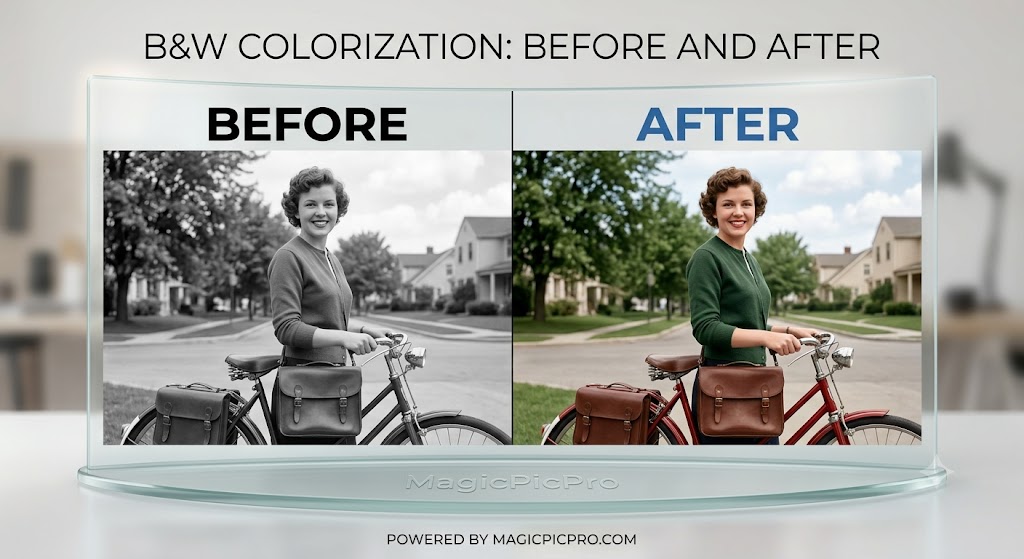
Transforming vintage black-and-white photographs into vivid, full-color memories is one of the most rewarding photo editing techniques. Whether you are looking to restore a vintage family heirloom or add a modern twist to a retro snapshot, adding color breathes fresh life into grayscale images.
Using the Colorize Black and White Photos tool on MagicPicPro, you can selectively paint colors onto any photo while preserving the original shadows, highlights, and textures.
What is B&W Colorization?
Colorizing a black-and-white photograph involves applying color overlays that blend directly with the underlying grayscale tones. Rather than painting over the details with flat paint, the Blend Mode algorithm allows the lighting, shadows, and fine details of the original image to shine through. In our example, a mid-century scene with a woman and a vintage bicycle transforms into a rich visual story: vibrant green foliage, a deep red bicycle frame, warm leather tones, and natural skin tones.
How to Colorize Your B&W Photos in 3 Easy Steps
-
Upload Your Black-and-White Photo — Navigate to the Colorize B/W Photo Tool. Drag and drop your image or click Upload Image. Supports PNG, JPG, WebP, and GIF.
🔒 Privacy Note: All image processing runs locally in your browser via HTML5 Canvas. Your photos are never uploaded to an external server or saved in a cloud database.
- Paint and Blend Your Colors — Use the full color picker to choose exact hues for skin tones, clothing, vegetation, and background elements. Selectively paint over specific sections, changing your color between brushstrokes. Use Undo/Redo support to refine your painting until it looks completely natural.
- Preview and Export — Review your side-by-side comparison in the editor. Once satisfied with the realistic color blend, click Download to save your high-resolution image in PNG, JPEG, or WebP format — completely free with zero watermarks.
Key Features
Ready to restore your photo archive?
Try the Colorize B/W Tool — Free