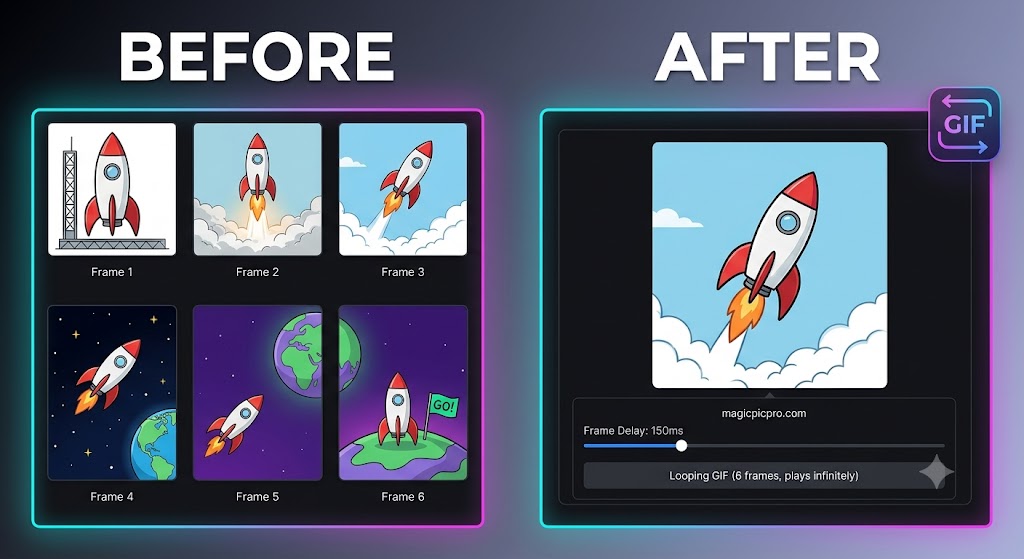
Creating eye-catching animated GIFs from still photos or video stills is an essential skill for social media posts, product demos, and quick visual tutorials. Instead of relying on heavy software or complex timeline editors, browser-based tools allow you to stitch image frames together in seconds.
Using the MagicPicPro Free GIF Maker, you can arrange images, adjust frame rates, and render looping animations without installing software or signing up for an account.
Step-by-Step Guide: How to Make an Animated GIF
- Upload Your Image Frames — Select and upload your PNG, JPG, or WebP images to the MagicPicPro Animated GIF Creator. Hold Ctrl or Cmd to choose multiple frames at once.
- Set Frame Delay — Adjust the frame delay controls to determine how long each image displays. A shorter delay creates faster action, while a longer delay gives viewers more time to focus on each frame.
- Preview & Export — Preview your looping animation in real time. Once satisfied with the timing and sequence, generate and save your high-resolution GIF directly to your computer or phone with no added watermarks.
Why Create GIFs in Your Browser?
🔒 100% Private Processing
Images process locally on your device using browser technology — your files are never uploaded to cloud servers.
⚡ Instant Speed
Skip upload wait times and start stitching frames together immediately.
🌐 Universal Compatibility
Works smoothly across all modern web browsers on mobile phones, tablets, and desktop computers.
Ready to create your first GIF?
Try the Free GIF Maker — Free