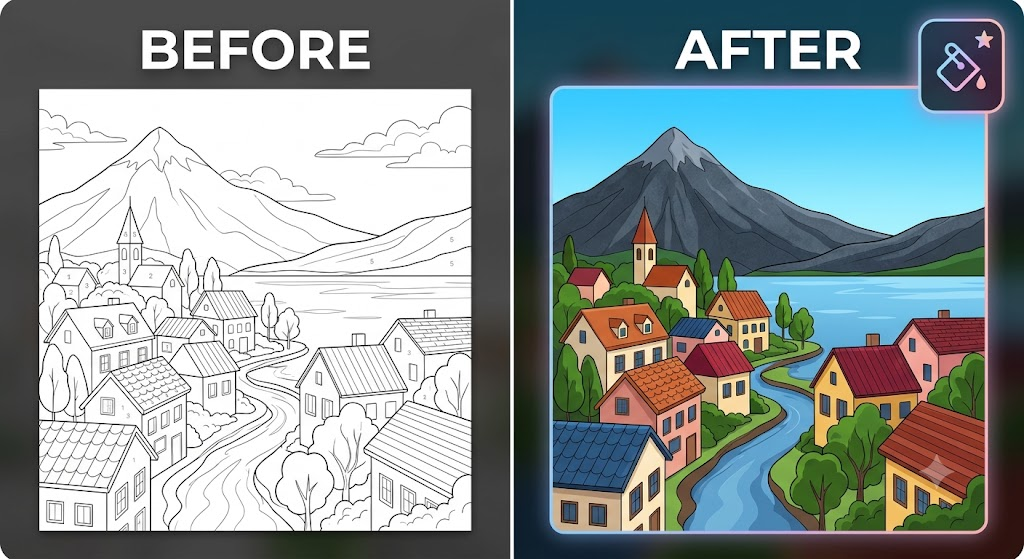
Transforming plain line art into eye-catching illustrations is one of the most satisfying workflows in digital editing. Whether you are working with black-and-white sketches or digital coloring pages, modern browser-based tools make colorizing your graphics fast, precise, and completely accessible.
Using the browser-based MagicPicPro Paint Bucket Tool, creators can execute seamless flood fills without downloading heavy software, managing cloud uploads, or signing up for accounts.
Step-by-Step Guide: From Sketch to Finished Artwork
- Upload Your Image — Drag and drop your black-and-white sketch or color-by-number template directly into the MagicPicPro Paint Bucket Tool. The tool supports PNG, JPG, WebP, and GIF file formats.
- Adjust Fill Tolerance — Set your Tolerance Control before applying color. A higher tolerance setting allows the flood fill to spread smoothly across similar color shades and dark line art edges.
- Select Color & Flood Fill — Pick your target hue using the color picker, then click inside any enclosed shape. The tool instantly detects matching connected pixels and fills the entire area. Made a misclick? Simply press Ctrl+Z to undo the change instantly.
- Export Without Watermarks — Fill in all remaining elements — roofs, streams, trees, and sky — to complete your composition. Once satisfied, download your finished artwork in PNG, JPEG, or WebP format for free.
Why Choose Browser-Based Editing?
🔒 Privacy First
Images process entirely on your local device via HTML5 Canvas API — your photos never get uploaded to external servers.
⚡ No Artificial Limits
Edit high-resolution drawings with no file size restrictions or hidden subscriptions.
🌐 Cross-Device Ready
Accessible directly inside modern web browsers across desktops, tablets, and mobile devices.
Ready to start colorizing?
Try the Paint Bucket Tool — Free