Blur Background Online

See It in Action

AI detects your subject and blurs everything behind them — giving any photo that soft, professional portrait bokeh look in seconds.
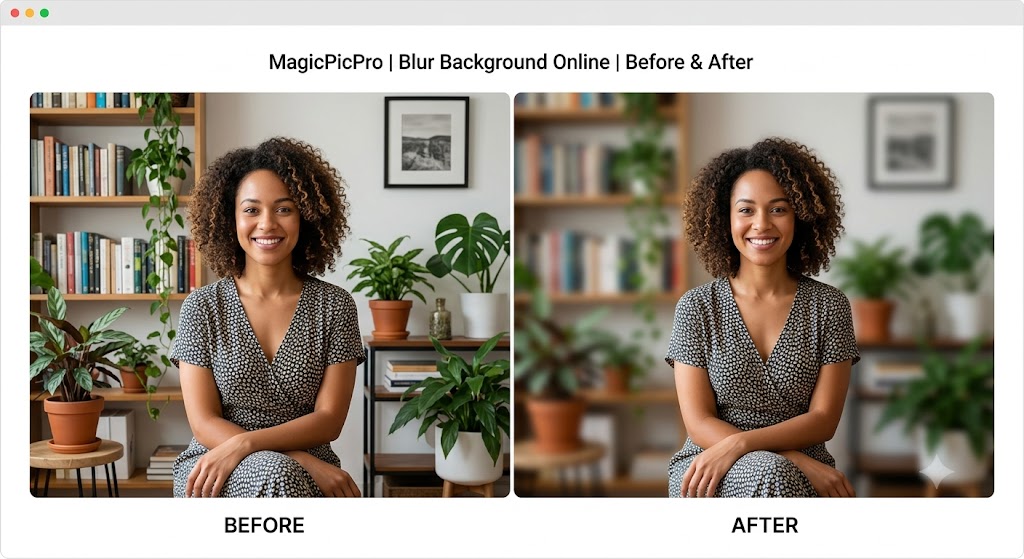
Blur Background before and after — woman sitting in front of bookshelf with busy background softly blurred to create a portrait bokeh effect
🤖
AI Subject Detection
The AI identifies your subject — person, pet, or object — and applies blur only to the background, leaving the subject sharp with clean edges around hair and clothing.
🎚️
Adjustable Blur Strength
Slide the blur intensity from a subtle soft-focus to a heavy cinematic bokeh — dial in exactly the depth-of-field look you want before downloading.
📸
Portrait-Quality Result
The blurred result mimics the natural out-of-focus look of a wide-aperture lens — great for headshots, product photos, and video call backgrounds.

About This Tool

Blur the background of your photo online free. Separate the subject from the background and apply a smooth Gaussian blur in seconds. No software download needed. MagicPicPro.

🔒 Privacy First
Your images never leave your device. All processing happens locally in your browser.
⚡ No Sign-up Needed
Free to use instantly — no account, no subscription, no watermarks.
🌐 Works Everywhere
Compatible with all modern browsers on desktop and mobile. Nothing to install.
📁 Multiple Formats
Upload PNG, JPG, WebP, or GIF. Export in the format that suits your project.

About MagicPicPro

MagicPicPro is a free, professional-grade image editor that runs entirely in your browser. We built it because great photo editing shouldn't require expensive software, cloud subscriptions, or waiting for uploads.

Every tool — from the simple crop to the multi-step scissors cut — processes pixels locally using the HTML5 Canvas API. Your images never leave your device. There are no accounts, no watermarks, and no file-size limits imposed by a server.

We're continuously adding tools based on what real creators need. If you have a feature request, we'd love to hear it.