Draw on Image Online

See It in Action

Draw freehand, add arrows, circles, and text annotations directly on any photo — perfect for marking up screenshots, diagrams, and photos.
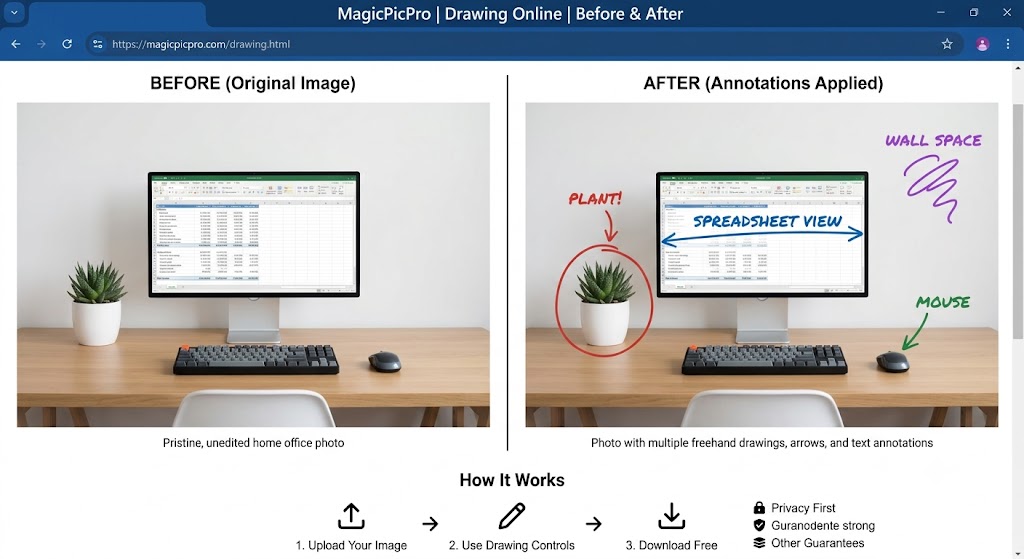
Drawing tool before and after — pristine home office photo annotated with freehand labels, arrows, circles, and colored text pointing to the plant, screen, and mouse
✏️
Freehand & Shapes
Draw freehand strokes, straight arrows, circles, and rectangles in any color and brush size — layer as many annotations as you need on a single image.
🏷️
Text Annotations
Click anywhere to drop a text label — choose font, size, and color so your callouts are readable against any background, light or dark.
⬇️
Download Free, No Signup
Download your annotated image as a PNG instantly with no watermark and no account required — your original photo and all drawings are merged into one file.

About This Tool

Draw on images online free with MagicPicPro's freehand drawing tool. Choose brush size and color to annotate, illustrate, or sketch directly over any photo or on a blank canvas.

🔒 Privacy First
Your images never leave your device. All processing happens locally in your browser.
⚡ No Sign-up Needed
Free to use instantly — no account, no subscription, no watermarks.
🌐 Works Everywhere
Compatible with all modern browsers on desktop and mobile. Nothing to install.
📁 Multiple Formats
Upload PNG, JPG, WebP, or GIF. Export in the format that suits your project.

About MagicPicPro

MagicPicPro is a free, professional-grade image editor that runs entirely in your browser. We built it because great photo editing shouldn't require expensive software, cloud subscriptions, or waiting for uploads.

Every tool — from the simple crop to the multi-step scissors cut — processes pixels locally using the HTML5 Canvas API. Your images never leave your device. There are no accounts, no watermarks, and no file-size limits imposed by a server.

We're continuously adding tools based on what real creators need. If you have a feature request, we'd love to hear it.