Adjust Image Contrast Online

See It in Action

Slide the contrast up to make a flat photo pop with sharp detail and dramatic depth — or pull it down to soften a harsh image.
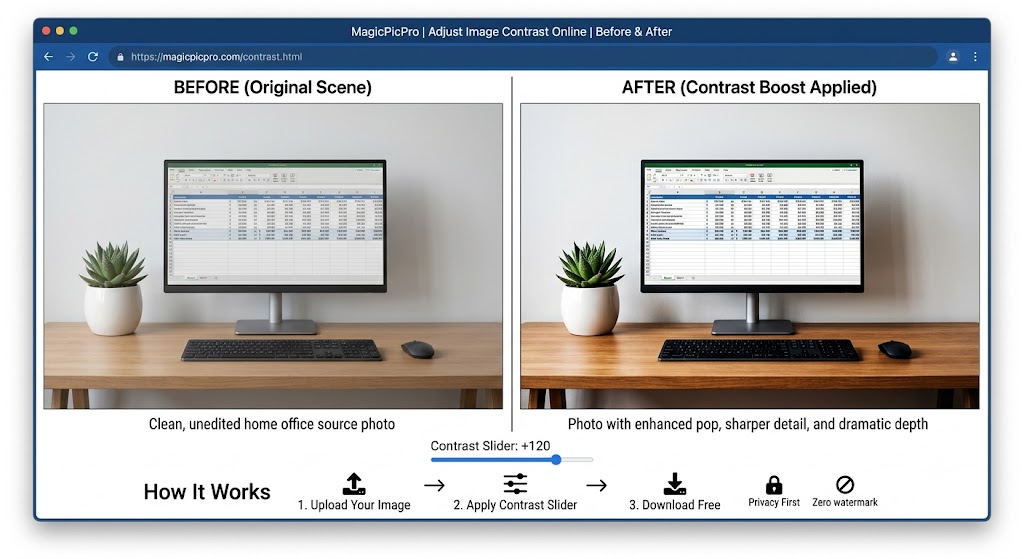
Contrast adjustment before and after — flat home office photo boosted with +120 contrast showing dramatically sharper detail, deeper shadows, and vivid highlights
🎚️
Contrast Slider
Drag from −100 (flat, low-contrast) to +100 (punchy, high-contrast) — the image updates in real time so you can judge the look before downloading.
Pop & Depth
Boosting contrast deepens shadows and brightens highlights simultaneously, giving flat or hazy photos the punchy three-dimensional look of a professionally edited shot.
Instant, No Upload
Contrast adjustment runs entirely in your browser — your photo never leaves your device, and the corrected image downloads immediately at full resolution, zero watermark.

About This Tool

Adjust image contrast online free. Increase or reduce contrast to make photos pop or create a flat, matte look. No software download needed. MagicPicPro.

🔒 Privacy First
Your images never leave your device. All processing happens locally in your browser.
⚡ No Sign-up Needed
Free to use instantly — no account, no subscription, no watermarks.
🌐 Works Everywhere
Compatible with all modern browsers on desktop and mobile. Nothing to install.
📁 Multiple Formats
Upload PNG, JPG, WebP, or GIF. Export in the format that suits your project.

About MagicPicPro

MagicPicPro is a free, professional-grade image editor that runs entirely in your browser. We built it because great photo editing shouldn't require expensive software, cloud subscriptions, or waiting for uploads.

Every tool — from the simple crop to the multi-step scissors cut — processes pixels locally using the HTML5 Canvas API. Your images never leave your device. There are no accounts, no watermarks, and no file-size limits imposed by a server.

We're continuously adding tools based on what real creators need. If you have a feature request, we'd love to hear it.