Erase Image Background Online

See It in Action

Paint to erase — brush over any area of your image and those pixels become fully transparent, saved as a clean PNG.
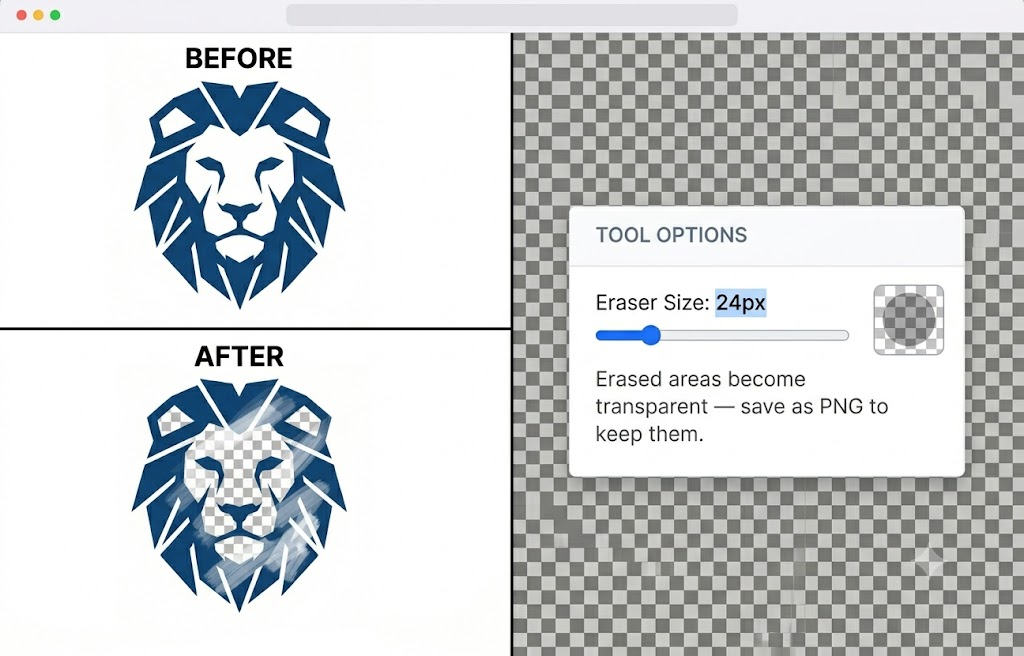
Eraser tool before and after — geometric lion logo with center area manually brushed away revealing transparent checkerboard beneath
🖌️
Brush to Erase
Paint over any part of your image with an adjustable brush — erased areas become transparent immediately, so you see exactly what you're removing as you go.
⚙️
Adjustable Eraser Size
Slide the eraser size from 4px for fine detail work up to large brushes for quick bulk removal — dial in the right size for the job.
🔲
Transparent PNG Output
Erased areas are saved as true alpha transparency in the PNG — not white fill — so the result drops cleanly onto any background or design.

About This Tool

Erase image backgrounds online free. Remove the background from any image — great for product photos, logos, and portraits. Works directly in your browser with no software needed.

🔒 Privacy First
Your images never leave your device. All processing happens locally in your browser.
⚡ No Sign-up Needed
Free to use instantly — no account, no subscription, no watermarks.
🌐 Works Everywhere
Compatible with all modern browsers on desktop and mobile. Nothing to install.
📁 Multiple Formats
Upload PNG, JPG, WebP, or GIF. Export in the format that suits your project.

About MagicPicPro

MagicPicPro is a free, professional-grade image editor that runs entirely in your browser. We built it because great photo editing shouldn't require expensive software, cloud subscriptions, or waiting for uploads.

Every tool — from the simple crop to the multi-step scissors cut — processes pixels locally using the HTML5 Canvas API. Your images never leave your device. There are no accounts, no watermarks, and no file-size limits imposed by a server.

We're continuously adding tools based on what real creators need. If you have a feature request, we'd love to hear it.