Adjust Image Brightness Online

See It in Action

Slide the brightness up to recover a dark, underexposed photo — or pull it down to tame an overblown shot — in seconds, right in your browser.
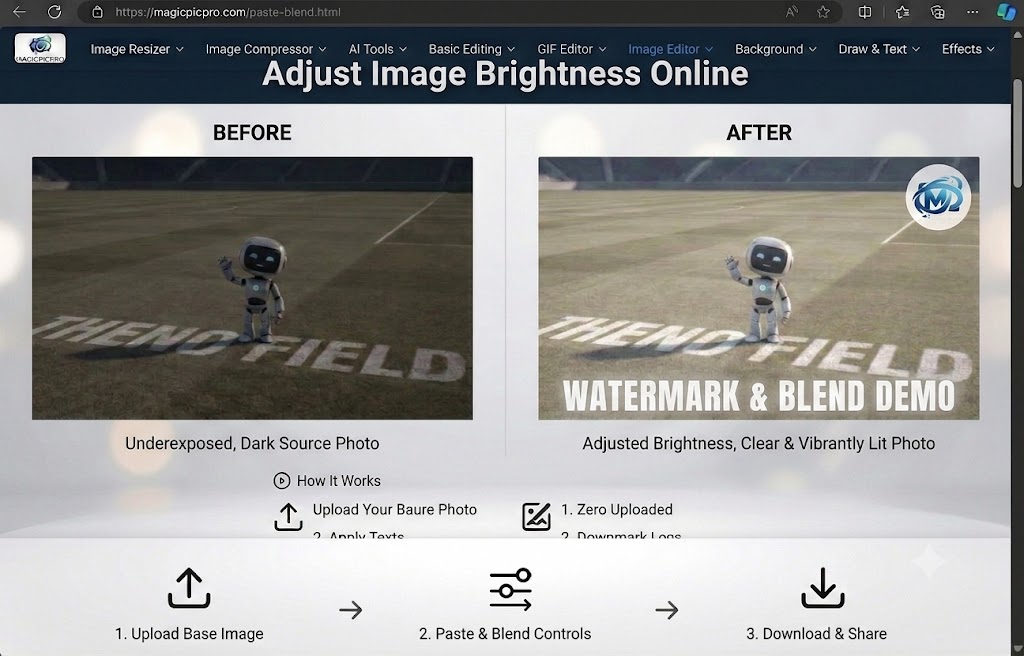
Brightness adjustment before and after — dark underexposed football field photo brightened to a clear, vibrantly lit result
☀️
Fix Dark or Bright Photos
Drag the brightness slider to recover detail from underexposed shadows or pull back blown-out highlights — works on any JPEG, PNG, or WebP.
👁️
Live Preview
The adjusted image updates in real time as you drag the slider so you can judge the result before committing — no guesswork, no trial downloads.
Instant, No Upload
Brightness adjustment runs entirely in your browser — your photo never leaves your device, and the corrected image downloads immediately at full resolution.

About This Tool

Adjust image brightness online free. Lighten or darken photos with a simple slider — perfect for fixing underexposed or overexposed shots. No software needed. MagicPicPro.

🔒 Privacy First
Your images never leave your device. All processing happens locally in your browser.
⚡ No Sign-up Needed
Free to use instantly — no account, no subscription, no watermarks.
🌐 Works Everywhere
Compatible with all modern browsers on desktop and mobile. Nothing to install.
📁 Multiple Formats
Upload PNG, JPG, WebP, or GIF. Export in the format that suits your project.

About MagicPicPro

MagicPicPro is a free, professional-grade image editor that runs entirely in your browser. We built it because great photo editing shouldn't require expensive software, cloud subscriptions, or waiting for uploads.

Every tool — from the simple crop to the multi-step scissors cut — processes pixels locally using the HTML5 Canvas API. Your images never leave your device. There are no accounts, no watermarks, and no file-size limits imposed by a server.

We're continuously adding tools based on what real creators need. If you have a feature request, we'd love to hear it.